

SmartChef Now Speaks Your Team's Language
Published on: September 27, 2026
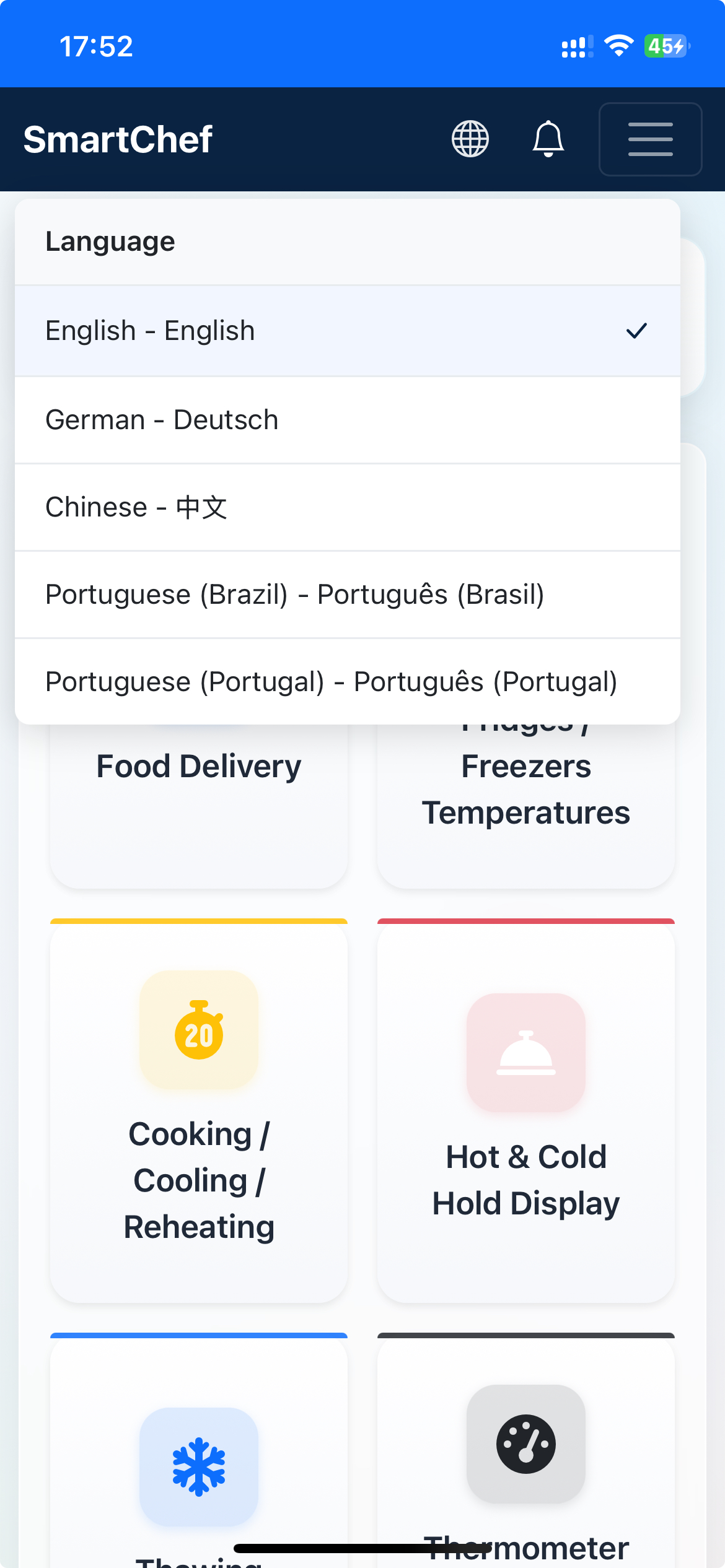
Irish kitchens run on teams from all over the world. Walk into most restaurants, cafes or catering kitchens on a Saturday night and you'll hear two or three languages before you reach the pass. That's a good thing for hospitality. It's a harder thing for food safety paperwork, when every form is in English and a new starter is trying to read it in their second or third language.
We've just made that easier. SmartChef is now multilingual, with each team member choosing the language they're most comfortable with.
How it works
As the business owner or manager, you turn multi language support on once, in your Setup Hub. From there, every member of your team can switch SmartChef into their own language, right from their phone. Nobody else's screen changes. Your head chef can run SmartChef in English while a new commis chef uses Portuguese, on the same account, at the same time.
It's the forms your team fills in every day that switch, deliveries, temperature checks, cooking and cleaning tasks. Reports and supervisor sign off stay in English, so whoever's reviewing the records always sees them the same way. Even the food items and cleaning tasks you've set up yourself get translated automatically, so you don't have to type everything out twice.
Why we built this
HACCP records only work if the person filling them in understands exactly what they're recording. A form that's technically completed but not properly understood isn't a safe record, it's a guess. Language shouldn't be the reason a temperature check gets logged wrong or a cleaning task gets skipped.
This also isn't the end of the list. If your team needs a language we don't have yet, tell us. Adding a new language is straightforward on our end, we just need to know it's wanted. No problem at all, just let us know what you need.
Getting started
If you're already a SmartChef customer, multi language support is ready to turn on now. Head to your Setup Hub, or read our step by step guide, to get it set up for your team.
Not using SmartChef yet? See how SmartChef works or get started today.